
Typing.com: Complete Guide to Features, Lessons, and Benefits in 2026
Typing.com: Master Keyboarding and Essential Digital Skills

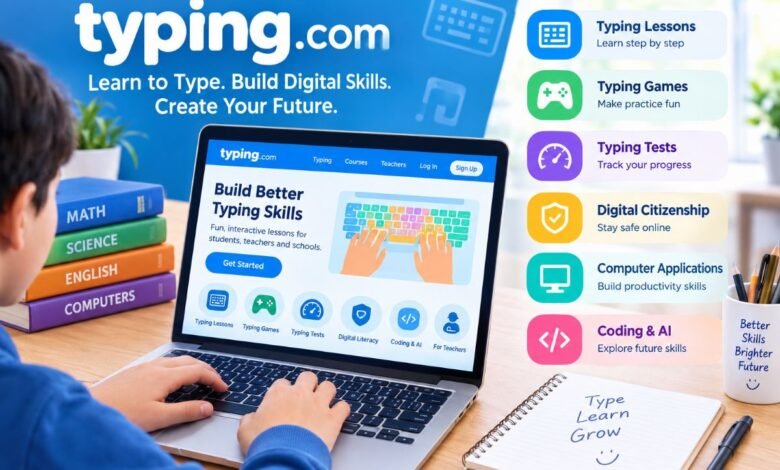
Typing has become an essential skill for students, teachers, professionals, and anyone who uses a computer regularly. From completing school assignments to preparing business documents, the ability to type quickly and accurately can save time and improve productivity. Typing.com makes learning this skill easier by offering interactive lessons, typing games, speed tests, and digital literacy courses in one online platform.
Whether you are a beginner learning where the keys are or an experienced user trying to improve your words per minute, Typing.com provides learning activities for different skill levels. The platform also supports teachers with classroom management tools, student progress tracking, and educational reports.
What makes Typing.com especially useful is its focus on more than keyboarding. Students can explore digital citizenship, computer applications, coding fundamentals, and introductory artificial intelligence concepts while developing practical technology skills.
In this complete guide, you will discover what Typing.com offers, how its lessons work, which features benefit students and teachers, and how regular practice can help you become a more confident computer user.
Quick Information About Typing.com
| Feature | Details |
|---|---|
| Platform name | Typing.com |
| Main purpose | Typing education and digital literacy |
| Platform type | Online learning platform |
| Primary users | Students, teachers, beginners, and schools |
| Typing lessons | Guided keyboarding exercises |
| Typing assessments | Timed typing tests |
| Interactive activities | Typing games and practice exercises |
| Additional subjects | Digital citizenship, computer applications, coding, and AI literacy |
| Student learning | Self-paced practice options |
| Educator tools | Classroom management and progress reports |
| Cost | Free learning options available |
| Accessibility | Web-based access through a compatible browser |
What Is Typing.com?
Typing.com is an online educational platform that helps people develop keyboarding skills and learn essential digital concepts. It combines structured typing lessons with interactive exercises, assessments, and technology-focused educational content.
Beginners can use the platform to learn keyboard positions, practice finger placement, and develop better typing habits. As their skills improve, they can work toward faster typing speeds and greater accuracy.
The platform also serves educational institutions. Teachers can organize learning activities, monitor student progress, and use available reports to understand how students perform. These tools can make keyboarding instruction easier to manage in classrooms with different learning needs.
Another important aspect of Typing.com is its broader digital curriculum. Students can explore responsible internet use, productivity applications, basic programming, and artificial intelligence concepts alongside traditional typing practice.
This combination makes Typing.com a useful option for people who want to strengthen their computer skills without relying exclusively on traditional classroom instruction.
Key Features of Typing.com
Typing.com includes several features designed to make learning practical, engaging, and measurable. Each feature supports a different part of the learning process.
1. Structured Typing Lessons
The platform offers guided lessons that introduce keyboarding skills step by step. Beginners can start by identifying keys and learning where to place their fingers before progressing to more challenging exercises.
These lessons encourage learners to develop proper typing techniques instead of looking down at the keyboard for every character. With regular practice, users can gradually build muscle memory and type more comfortably.
As learners advance, they can work with longer words, sentences, and other exercises that challenge their accuracy and speed.
Structured lessons are particularly useful for beginners because they provide a clear learning path. Rather than practicing random words without direction, students can build one skill at a time.
2. Typing Games for Interactive Learning
Typing games make keyboard practice more enjoyable, especially for younger learners. They introduce game-based challenges that encourage users to recognize letters, enter words, and respond accurately.
These activities can help students maintain interest in their lessons. They also provide an alternative to repetitive drills, which some learners may find boring.
However, games work best when students combine them with structured exercises. Playing games alone may not teach every aspect of proper finger placement or typing technique.
By balancing lessons with interactive activities, learners can make practice both productive and enjoyable.
3. Typing Tests and Performance Tracking
Typing.com provides typing assessments that help users evaluate their performance. These tests commonly measure typing speed and accuracy, giving learners a clearer picture of their current abilities.
Typing speed is generally expressed in words per minute, or WPM. Accuracy measures how correctly someone enters the text.
For example, a student might type 35 words per minute but make several mistakes. Another student might type 28 words per minute with very few errors. Both learners can benefit from practice, but their next steps may differ.
The faster typist may need to focus on accuracy, while the more accurate typist can gradually increase speed.
Regular assessments help learners identify these differences and set realistic improvement goals. Instead of guessing whether their typing is improving, they can use test results to monitor their progress.
4. Cross-Curricular Typing Practice
Typing.com can connect keyboarding exercises with educational subjects such as mathematics, science, and world languages.
This approach allows students to practice typing while working with material related to their school curriculum. It also exposes learners to subject-specific vocabulary and sentence structures.
For example, a science-based typing exercise may include scientific terms, while a mathematics activity may contain numbers or subject-related explanations.
Cross-curricular practice makes typing more relevant to academic life. Students can strengthen keyboarding skills while becoming more comfortable entering the kinds of information they encounter in school assignments.
5. Digital Citizenship Education
Digital citizenship helps students understand how to use technology safely, responsibly, and respectfully.
Typing.com includes educational material covering topics such as online privacy, misinformation, data ethics, and appropriate online behavior.
These subjects matter because students increasingly rely on digital tools for communication, research, entertainment, and learning. Without a clear understanding of online responsibility, they may struggle to identify unreliable information or protect personal details.
Digital citizenship lessons encourage learners to think critically about what they read, share, and publish online.
They also help students recognize the importance of respectful communication and responsible decision-making when using digital platforms.
6. Computer Applications and Productivity Skills
Typing.com extends its learning experience through simulated environments for computer applications, including word processing, spreadsheets, and presentations.
These activities introduce students to common productivity tasks in a guided setting. Learners can explore how digital documents work, how spreadsheet information is organized, and how presentations communicate ideas.
Such skills can support school projects, research assignments, and future workplace activities.
Although introductory simulations do not replace comprehensive training in professional software, they can help students become more comfortable with common computer-based tasks.
7. Coding and Artificial Intelligence Literacy
Typing.com also introduces learners to basic programming concepts and artificial intelligence literacy.
Coding lessons cover foundational web technologies such as HTML, CSS, and JavaScript. These technologies play different roles in website development: HTML structures content, CSS controls presentation, and JavaScript adds interactive behavior.
Introductory AI literacy lessons help students begin exploring how artificial intelligence works and why responsible use matters.
These subjects can encourage curiosity about computer science and digital innovation. Students who enjoy the introductory material may decide to explore more advanced courses later.
Typing.com provides a starting point rather than a replacement for specialized programming education, but it can help learners discover new interests while strengthening their general technology knowledge.
How Does Typing.com Work?
Typing.com uses a browser-based learning model that allows users to complete available activities online. The general process is straightforward, even for people who have limited experience with educational websites.
Step 1: Choose the Appropriate Learning Option
Users begin by selecting the account or learning option that matches their needs. Individual learners can explore student-oriented activities, while teachers can access educator tools.
Registration requirements may differ depending on the account type and current platform policies.
Step 2: Start With Suitable Lessons
Beginners should start with basic keyboarding exercises. These lessons help them become familiar with key positions and finger placement.
Learners who already have typing experience can focus on exercises that challenge their speed, accuracy, or consistency.
Step 3: Practice Regularly
Consistent practice helps reinforce typing habits. Learners can complete lessons and use available games to strengthen their keyboard familiarity.
Short, focused sessions often make it easier to maintain a regular learning routine.
Step 4: Take Typing Tests
Typing assessments allow users to evaluate their progress. Comparing results from different practice sessions can help identify improvements and areas that still require attention.
Step 5: Explore Additional Courses
After developing basic keyboarding skills, learners can explore digital citizenship, computer applications, coding, and other available educational activities.
This approach helps users build a broader set of digital skills rather than focusing only on typing speed.
Benefits of Typing.com for Students
Typing.com offers several potential benefits for students who want to improve their computer skills.
Better Typing Speed and Accuracy
Regular practice can help students recognize keys more quickly and reduce typing mistakes. Improved keyboarding skills can make computer-based assignments easier to complete.
Students should focus on accuracy before trying to increase speed dramatically. Correct habits provide a stronger foundation for long-term improvement.
Greater Academic Productivity
Students often use computers to write essays, complete worksheets, research information, and prepare presentations. Typing more efficiently can reduce the time required for these activities.
When students spend less time searching for keys, they can concentrate more on organizing ideas and completing assignments.
More Confidence With Technology
Guided lessons and interactive activities can help students feel more comfortable using computers.
This confidence may encourage them to participate more actively in digital learning activities and explore new technology-related subjects.
Flexible Learning Opportunities
Self-paced practice allows learners to spend more time on challenging skills and progress when they feel ready.
This flexibility can benefit students who learn at different speeds or need additional keyboarding practice outside the classroom.
How Typing.com Helps Teachers and Schools
Typing.com also provides tools that support classroom instruction and educational planning.
Classroom Management
Educators can use available classroom tools to organize student learning and manage typing activities. These features can help teachers incorporate keyboarding practice into computer classes and other lessons.
A structured online learning environment can also make it easier to provide activities for students with different ability levels.
Student Progress Reports
Progress monitoring helps teachers review student performance and identify learning needs.
For instance, an educator may notice that several students struggle with accuracy or have difficulty progressing through a particular lesson. The teacher can then provide additional instruction or assign more practice.
Reports can support informed teaching decisions, although teachers should consider individual learning circumstances when interpreting student results.
Customizable Learning Activities
Available educator tools allow teachers to adapt learning activities to classroom goals. This flexibility can help them create a more relevant learning experience.
Schools can also use typing lessons alongside broader digital literacy instruction, helping students develop practical technology skills in a coordinated way.
Typing.com advertises free educator access, but schools should check current terms and available features before planning large-scale classroom use.
Is Typing.com Free to Use?
Typing.com offers free learning options for students and educators. Learners can access typing lessons, practice exercises, typing tests, and available games through the platform.
Teachers can also use supported classroom tools to organize activities and review student progress.
The availability of specific features may depend on the current platform offering, account type, and school setup. Users should review the available options before assuming every feature works identically across all accounts.
For individuals who want to improve typing without purchasing a course, Typing.com offers an accessible place to begin. Its combination of keyboarding practice and additional digital literacy content also provides value beyond basic typing exercises.
Tips to Improve Your Typing Skills With Typing.com
Using Typing.com consistently can help you develop better keyboarding habits. Follow these practical tips to make your practice more effective.
Focus on Accuracy First
Avoid rushing through every exercise. Correct typing helps you develop reliable habits and reduces the time you spend fixing mistakes.
Once you can type accurately, increase your speed gradually.
Practice Every Day
Set aside a short period for keyboarding practice. A consistent routine can help reinforce finger movements and make typing feel more natural.
Choose a manageable schedule that you can maintain rather than setting unrealistic goals.
Learn Proper Finger Placement
Keep your fingers positioned correctly and avoid relying entirely on one or two fingers. Proper technique can reduce unnecessary movement and improve consistency.
Monitor Your Results
Use typing tests to check your progress. Record your speed and accuracy occasionally so you can recognize patterns and adjust your practice.
Do not judge improvement by speed alone. Accuracy and comfort matter just as much.
Combine Lessons With Games
Use structured lessons to develop technique and games to keep practice engaging. This balance can help you remain motivated without losing sight of your learning goals.
Explore Other Digital Skills
Once you feel comfortable with typing, consider exploring the platform’s additional educational content. Learning about online safety, computer applications, coding, and AI can broaden your technology knowledge.
Limitations to Consider Before Using Typing.com
Although Typing.com offers useful educational resources, learners should understand what the platform can and cannot do.
First, typing improvement requires regular effort. Simply creating an account will not automatically increase speed or accuracy.
Second, online lessons may not provide the same level of personal guidance as a teacher working directly with a student. Some learners may need additional support to correct poor typing habits.
Third, introductory lessons in coding, AI, and productivity applications cannot replace advanced professional training. Users who want specialized skills may need more comprehensive courses.
Finally, educators should check whether the platform’s current features meet their curriculum, accessibility, and classroom management requirements.
Understanding these limitations helps learners use Typing.com as part of a balanced educational approach.
Final Thoughts
Typing.com provides a practical way to develop keyboarding skills and explore essential digital literacy topics. Its guided lessons, interactive games, typing tests, and educational activities support learners at different stages of their development.
Students can improve typing accuracy, build confidence with computers, and prepare for digital schoolwork. Teachers can use available classroom tools and progress reports to support instruction and identify areas where students need additional practice.
The platform’s broader lessons in digital citizenship, computer applications, coding, and AI literacy also help learners explore technology beyond the keyboard.
Ultimately, the greatest benefit comes from consistent practice and realistic goals. By focusing on accuracy, developing proper typing habits, and gradually increasing speed, learners can make meaningful progress. For students, teachers, and beginners seeking to strengthen everyday computer skills, Typing.com offers a useful starting point for lifelong digital learning.